
Finding Signal in the Noise


"What's going on?"
That one question rattles around in your head all day, in different intonations. What is happening in the world, or downtown, or in the halls of Washington? What did I miss in the last few minutes? How did I not see that before?
As we've been building out Forth Pro, and continuously expanding our library of news-making sources, we started getting overwhelmed. After all, we're now following elected officials, government agencies, military branches and commands, emergency alerts, and so much more. Pro gets emailed press releases, checks RSS feeds, and pulls in social media posts. There's so much information, it can be tough to find what you need to know, and ignore what is not immediately relevant.
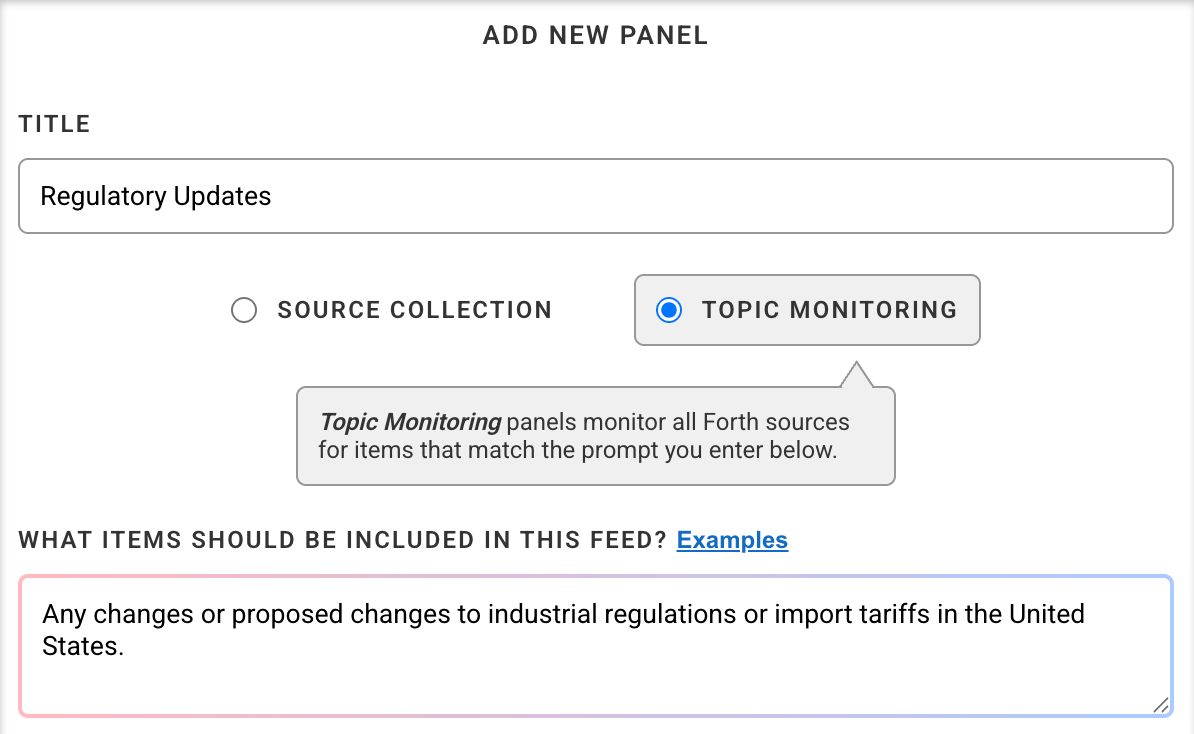
Today we're launching Topic Monitoring – a new kind of Forth Pro panel – to surface the updates relevant to you. Rather than follow a pre-defined set of sources, Topic Monitoring panels look across the Forth Pro source catalog, and take the updates that match a prompt you define.
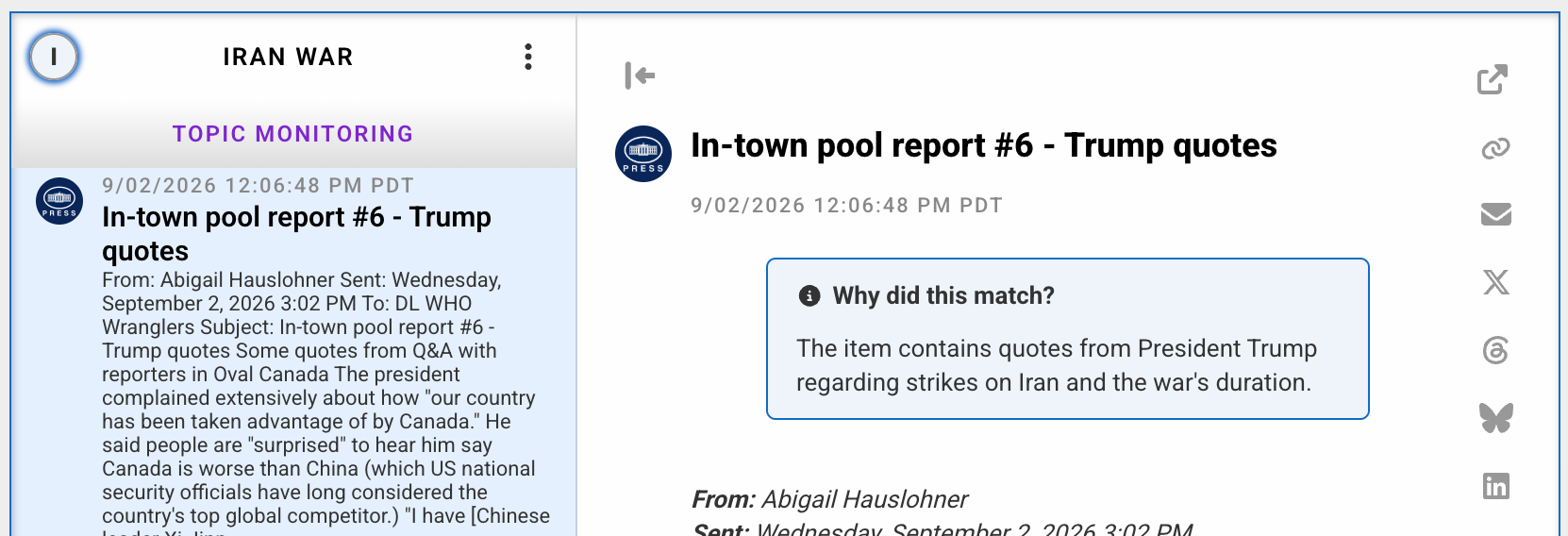
Updates that match the prompt appear like items in any other feed – you can post links on social or forward to a colleague – and they also include a brief explanation of why the item was included.
Topic Monitoring panels are available today for all Forth Pro users, and can be used alongside new or existing Source Collection panels. Click "Add new panel" to try it out.